The situation
My team and I have been prescribing Sitecore workflows for well over a decade. These workflows generally focus on moving content pages through a workflow. However, as more structured page models have begun to give way to flexible design systems made up interchangeable components in a series of layout options, more and more content (data sources) have become abstracted from page content. This includes instance of rich text that make up the body content of a page. While this has allowed for maximum flexibility in layout, it has had unintended consequences for enforcing workflows.
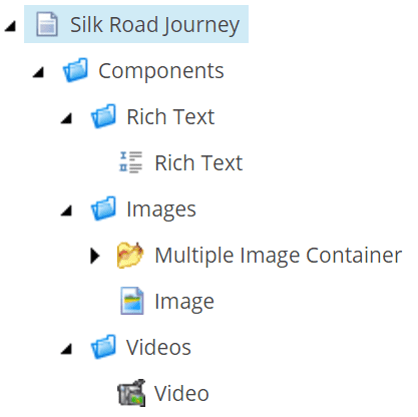
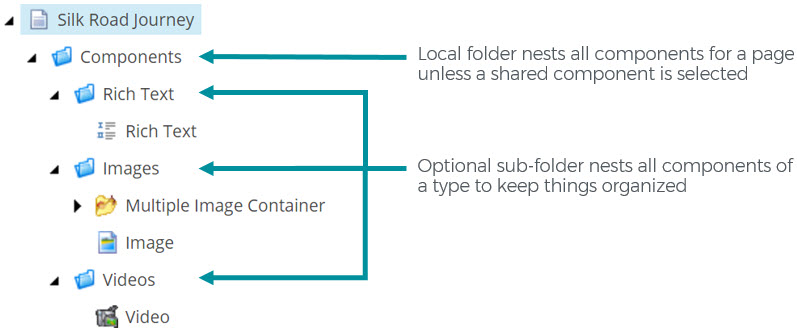
When only the pages are assigned a workflow, it is not possible to properly version all the content, nor can we guarantee that no content gets accidently published and bypasses workflow. Most of our workflow implementations just publish the approved page and we have pipelines in place to smart-publish subitems and related items with it, effectively pushing it all through to web DB. With small teams and good governance, this may work just fine but for many clients this is not an acceptable solution. A content author with publishing rights could intentionally or accidentally publish page subitems and related items directly, forcing content live that was not approved. We have known for a long while how to add components in the Data folder of a page to workflow but the drawback is that every object in workflow, hundreds of generically-named component objects, are listed beside pages in the Workbox with no nesting or clear relationships. This negatively impacts the author experience by making the Workbox almost unusable.
The solution
I’ve done some research, consulted Sitecore MVPs, and couldn’t find an established answer on best practices for including local, component-level objects in workflow (not just pages) while preserving the author experience within the workbox.
The way I see it is that there are 2 options:
( 1 ) Keep all body content data source(s) at the page-level as it had been in the past, invalidating the need to put anything but pages into workflow. This means a much more rigid definition of page content model and layout. For very structured pages such as blog posts, articles, events, press releases, etc, this just makes sense anyhow for more reasons than just workflow. But the design team and stakeholders must be on board and the solution must be built this way across the board. For many clients, the sacrifice in flexibility on landing pages, campaign pages, and the like is a non-starter.
Or better yet…
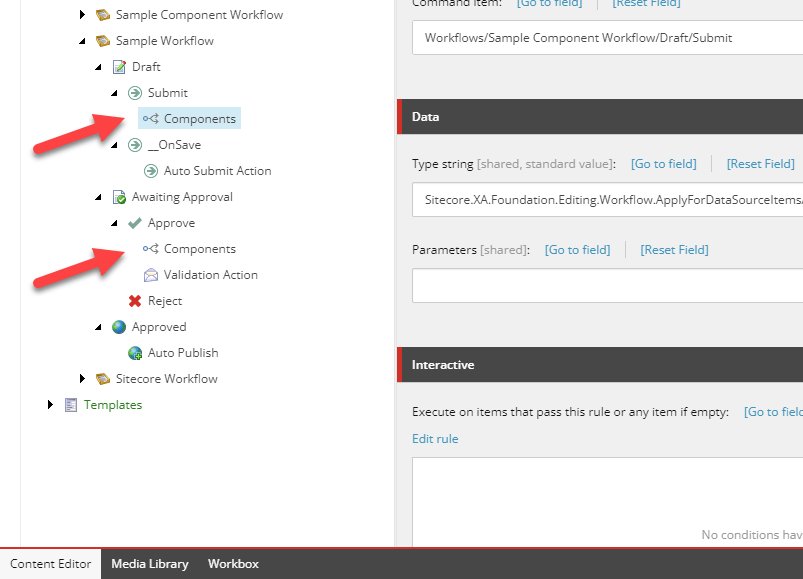
( 2 ) Create a second, identical workflow for all non-page objects that have a data source. Along with former Sitecore MVP, Matt Richardson, we tested a proof-of-concept on this idea, assigning a copy of the workflow to components in the Data folder of a page and created a procedure to transition the workflow states of the subitems and related items along with the page’s workflow. It worked! In the Workbox, all the content author needs to do is deselect the workflow for non-pages and their view will be once again limited to pages. And the best part about it is that it does not require any customization to the UI so it should work just as well in XM Cloud as on XP.
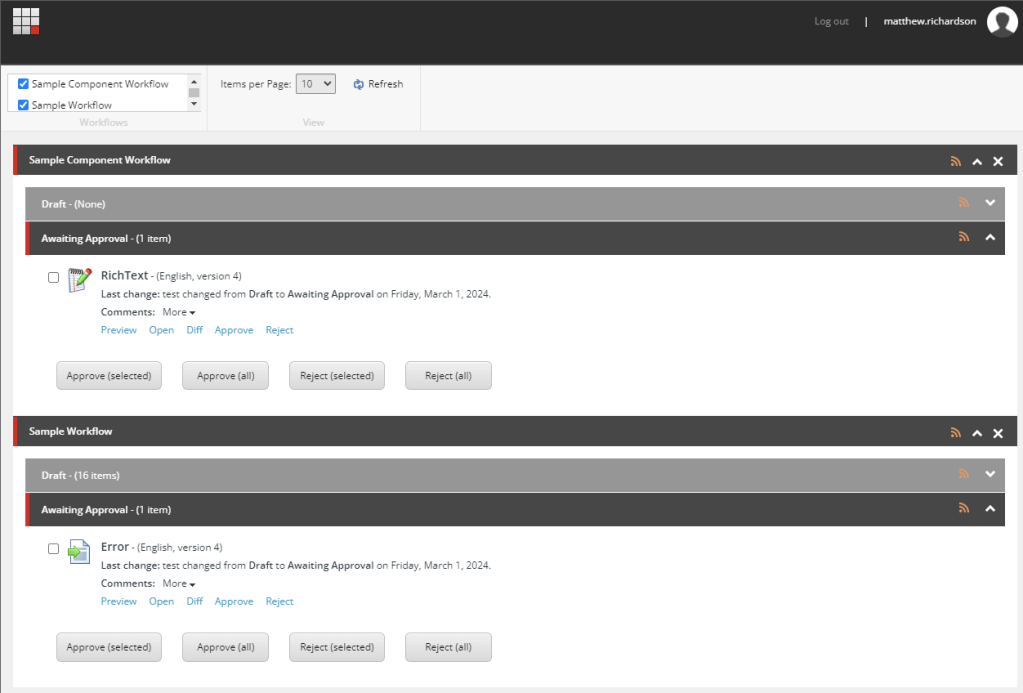
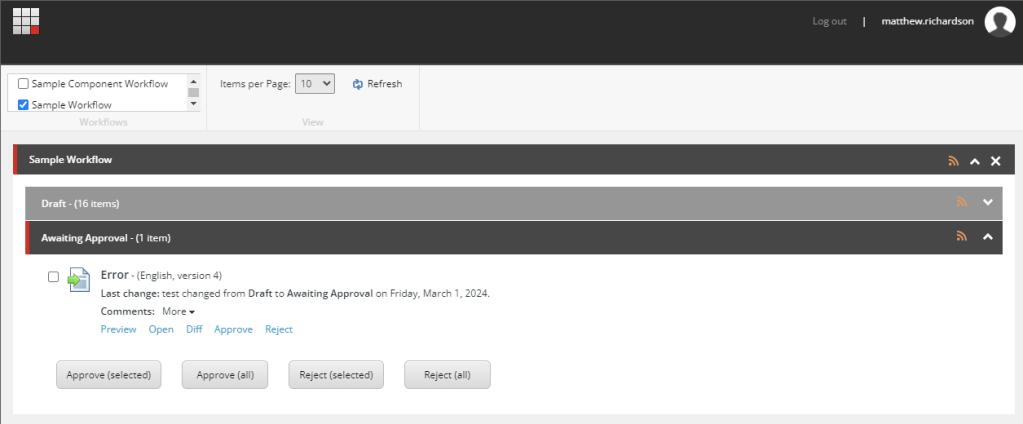
Option 2 is superior because it prevents us from having to choose between security and authorability. Feel free to try out this solution and let me know in the comments if you have found additional solutions that solve this problem.
Happy content authoring!


 SITECORRELATIONS